
The internet has a short memory. Websites go offline every single day, domain names expire, hosting bills go unpaid, companies shut down, and valuable content simply disappears forever. A research paper you bookmarked, a forum thread that solved your problem, a competitor’s pricing page, a government resource, a news article, gone.
If you’ve ever clicked a link and been greeted with a “404 Not Found” error where an important page used to live, you already know this pain. The good news is that archiving a website before it goes offline is simpler than most people think.
In this guide, we’ll show you the best and fastest way to archive any website as a complete, high-quality PDF, using Webs2PDF, plus other archiving methods you should know about. Whether you’re a researcher, legal professional, business owner, or just someone who wants to preserve content they care about, this guide has everything you need.
Why Websites Go Offline
Understanding why websites disappear helps you know what to archive and when. Here are the most common reasons websites go offline permanently:
- Expired Domains: When a domain owner forgets to renew, the website disappears within days. This is the most common cause of sudden link rot.
- Unpaid Hosting: Web hosting services delete files when subscriptions lapse. Months of content can vanish overnight.
- Business Closures: When companies shut down, their websites go with them. Product documentation, support articles, and knowledge bases are lost.
- Content Deletion: Website owners frequently delete old articles, product pages, or controversial content. Social media posts, forum threads, and news articles are especially vulnerable.
- Platform Shutdowns: Entire platforms can disappear, and when they do, thousands of pages vanish simultaneously.
- Government & Institutional Changes: Policy documents, research publications, and public records can be removed when administrations change or departments restructure.
- Legal Takedowns: DMCA notices, court orders, and regulatory demands can force content offline without warning.
This is why archiving matters, not just for nostalgia, but for research integrity, legal documentation, competitive intelligence, and preserving knowledge that the world should not lose.
Why Most Website Archiving Methods Fall Short
Most people’s first instinct when they want to archive a website is to use one of these approaches, and most of them have serious problems:
Browser Save As (Ctrl+S): Saves an HTML file and a folder of assets. The result is often broken, images go missing, CSS fails to load, and the page looks nothing like the original when you reopen it weeks later.
Screenshots: Only capture what’s visible on your screen. Long pages require dozens of screenshots, which are hard to organise, search through, or share professionally.
Browser Print to PDF (Ctrl+P): Splits long pages into multiple A4 chunks with awkward page breaks. Misses dynamically loaded content, breaks layouts, and often cuts off text mid-paragraph.
Wayback Machine: Great for public snapshots, but requires the page to be already indexed. It doesn’t archive private or login-protected pages, and the rendering is often incomplete for modern JavaScript-heavy websites.
HTTrack: A powerful but technical tool that requires installation and command-line knowledge. Not practical for most users, and struggles with dynamic or JavaScript-rendered content.
The Best Method: Archive Any Website as a PDF Using Webs2PDF
Webs2PDF is a free online web-to-PDF converter that captures any website exactly as it appears, every pixel, image, font, layout, and dynamically loaded element. It converts it into a clean, complete PDF that you can save, search, share, and access forever.
Unlike browser print or screenshots, Webs2PDF fully renders the page (including JavaScript and lazy-loaded content) before capturing it. The result is a single continuous PDF that looks identical to the live website, a true archive you can rely on.
Step-by-Step: How to Archive a Website Using Webs2PDF
Step 1: Find the Page You Want to Archive
Open the website or webpage you want to archive in your browser. Copy the full URL from the address bar. This could be a homepage, an article page, a product page, a forum thread, a documentation page, or any publicly accessible web page.
Pro Tip: Archive pages as soon as you find them valuable, not later. You never know when a page will disappear. If you use Webs2PDF’s Bulk Conversion feature, you can archive multiple URLs in one batch.
Step 2: Open Webs2PDF.com
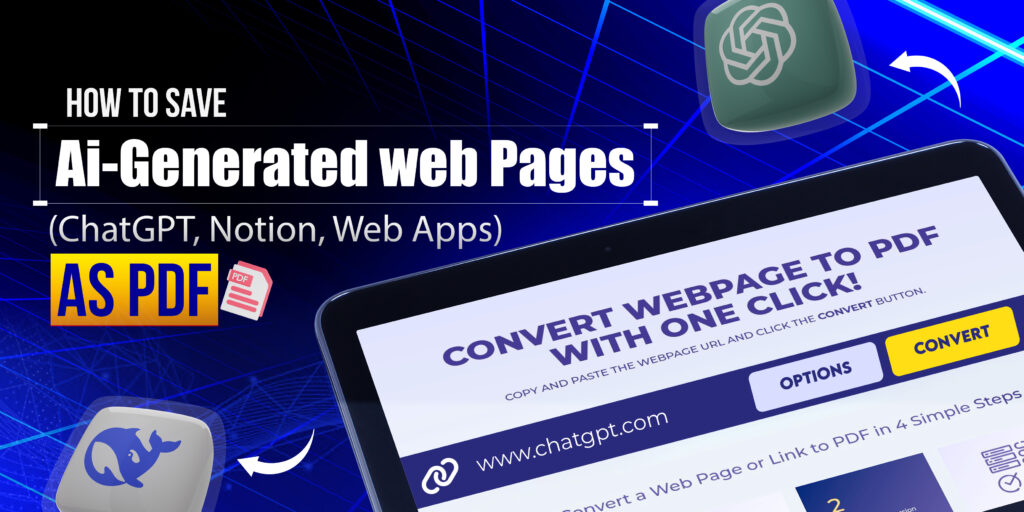
Go to Webs2PDF.com in your browser. You’ll see a clean input box on the homepage. No account needed, no software to install, no complicated setup.
Step 3: Paste the URL and Customise Your Settings
Paste the website URL into the input box. Then click the Options button to customise your archive settings:
- Page Size – Desktop/Laptop: This captures the page at full desktop width, preserving the original layout exactly as the website was designed to look.
- Quality – High: Always select High for archiving. This ensures images, charts, and visual content are captured at full resolution, essential for a true archive.
- Site Map – Current Page: Select this for a single-page archive. For multi-page site archiving, use the ‘All Pages’ or Bulk Conversion options in paid plans.
- Margins – 10 to 15px: A small margin ensures the content doesn’t sit flush against the edges, making the archived PDF easier to read.
Step 4: Click Convert
Hit the Convert button. Webs2PDF loads the entire page, waits for all JavaScript to execute and all images to load, then captures everything at once. This is the critical difference between Webs2PDF and browser print: it waits for the full page render before archiving, so nothing is missed.
Step 5: Download and Store Your Archive PDF
Once conversion is complete (usually within seconds), click Download PDF. Your archived webpage is now a permanent, high-quality PDF. Store it in:
- Google Drive or OneDrive, for cloud access from any device
- A local folder organised by topic, date, or source
- An email to yourself for quick future reference
- A shared team folder is being archived for business or legal purposes
Why Webs2PDF Beats Every Other Archive Method: It renders JavaScript and lazy-loaded content, preserves all CSS styling and images at full resolution, produces a single continuous PDF with zero page breaks, and works on any website, all for free, with zero installation required.
What Webs2PDF Captures: And What Makes It a True Archive
When most tools fail to create a real archive, Webs2PDF succeeds because of how it renders pages before capturing them. Here is exactly what gets preserved:
- Full Page Layout: Headers, navigation, sidebars, footers, grids, and columns are all preserved exactly as they appear in the browser. The archived PDF is indistinguishable from the live page visually.
- All Images and Media: Product photos, infographics, charts, embedded images, and logos are captured at full resolution. No blank boxes, no missing visuals.
- Fonts and Typography: Custom web fonts, text sizing, line spacing, and heading hierarchy are preserved perfectly.
- Dynamic and JavaScript-Rendered Content: Accordion, tabbed content, dynamically loaded text, and JavaScript-generated elements are all fully rendered before capture, something browser print completely fails to do.
- Lazy-Loaded Content: Modern websites load images and content as you scroll. Webs2PDF simulates a full scroll to ensure all lazy-loaded content appears in the archive.
- Tables, Code Blocks, and Structured Data: Technical content like pricing tables, comparison charts, and code snippets is preserved with full formatting.
- Single Continuous PDF, No Page Breaks: The entire archived page flows as one seamless document. No content is ever cut mid-paragraph by forced page breaks.
Who Needs to Archive Websites: And How They Use Webs2PDF
Researchers and Academics
Academic research depends on citing sources that remain accessible. When a source goes offline, your citations become broken links. By archiving research papers, news articles, government publications, and data sources as PDFs using Webs2PDF as you collect them, you ensure your references are permanently available, regardless of what happens to the original website.
Legal and Compliance Professionals
Legal teams routinely need to preserve evidence of what a website said at a specific point in time, for litigation, regulatory compliance, contract disputes, and intellectual property cases. A WebstoPDF archive provides a high-fidelity visual record of the page with a timestamp. The PDF format is court-admissible, professional, and permanently preserved.
Businesses and Competitive Intelligence Teams
Businesses archive competitors’ websites, pricing pages, product announcements, and marketing content to track changes over time. When a competitor updates their pricing or removes a product, having an archived PDF proves what they were offering before the change. WebstoPDF makes this process fast enough to do regularly and systematically.
Journalists and Fact-Checkers
News articles, social media posts, and public statements are frequently edited or deleted after publication. Journalists and fact-checkers use Webs2PDF to create timestamped visual records of content at the moment it was live, providing verifiable documentation when sources later modify their original claims.
Educators and Students
Teaching materials, online textbooks, resource pages, and educational tools frequently change or go offline. Students and teachers archive valuable educational content using Webs2PDF so it remains accessible for future use, whether for referencing, printing, or distributing offline.
Developers and IT Teams
Before deprecating a product, shutting down a service portal, or migrating a website, development teams use WebstoPDF to create complete visual records of the current site. This serves as a reference for redesign work, a stakeholder sign-off document, and an archive for regulatory purposes.
Webs2PDF vs Other Archiving Methods: Full Comparison
| Method | Archive Quality | Effort | Free? | Best For |
| Webs2PDF (Recommended) | ⭐⭐⭐⭐⭐ Perfect PDF | ⚡ Very Easy | Yes | Complete visual record |
| Wayback Machine | ⭐⭐⭐ View only | Easy | Yes | Public snapshots |
| HTTrack | ⭐⭐⭐⭐ HTML copy | Hard (technical) | Yes | Full site download |
| Browser Ctrl+S | ⭐⭐ Single page only | Easy | Yes | Quick single pages |
| Screenshots | ⭐ Visual only | Very Slow | Yes | Simple visual proof |
| Paid Tools (Stillio) | ⭐⭐⭐⭐ Automated | Easy | Paid | Enterprise archiving |
Other Archiving Methods: When to Use Them
While Webs2PDF is the best tool for creating a clean, shareable, professional-quality archive, here is an honest overview of the other options and their specific use cases:
Wayback Machine (archive.org)
The Internet Archive’s Wayback Machine automatically crawls and saves snapshots of public websites. It’s the world’s largest web archive and is invaluable for viewing how websites looked in the past.
Best for: Checking historical versions of public websites you didn’t archive yourself. Not suitable for private pages, login-protected content, or when you need a clean downloadable PDF.
Use Webs2PDF alongside the Wayback Machine. Archive as a PDF for your own records, and submit to the Wayback Machine for public preservation.
HTTrack Website Copier
HTTrack is a free, open-source tool that downloads an entire website to your local device, preserving the site structure so it can be browsed offline.
Best for: Tech-savvy users who need a full offline copy of a static website. Struggles with JavaScript-heavy or dynamic websites, and the result is a complex folder of files rather than a clean, shareable document.
HTTrack is powerful but has a steep learning curve. For most users, Webs2PDF delivers a better result with a fraction of the effort.
Browser Save As (Ctrl+S)
Every browser lets you save a web page as HTML with a folder of associated files.
Best for: Simple, static pages where you need an editable HTML copy. Completely unreliable for modern websites, the saved file usually looks broken when opened.
Screenshots
Taking a screenshot or using a full-page screenshot extension gives you a visual image of the page.
Best for: Quick visual proof of a small, specific section. Not practical for archiving full pages, and the result is an unorganised image file rather than a searchable, shareable document.
5 Smart Archiving Habits to Protect Yourself
Here are five practical habits that researchers, professionals, and smart internet users follow to protect themselves from link rot:
- Archive Immediately: Don’t wait until you need the content; archive it the moment you find it valuable. With Webs2PDF, it takes 30 seconds.
- Use Descriptive File Names: When you download your archived PDF, rename it meaningfully. Example: “Competitor-PricingPage-March2026.pdf” is far more useful than “download(1).pdf”.
- Archive Multiple Pages: Use Webs2PDF’s Bulk Conversion feature (paid plans) to archive multiple related pages in one session, ideal for capturing an entire section of a website.
- Store Redundantly: Save your archived PDFs in at least two locations, one cloud storage (Google Drive, OneDrive) and one local folder. This protects against account lockouts and device failure.
- Note the Date: Always record when you archive a page. The date of archiving is as important as the archive itself, especially for legal and research purposes.
Frequently Asked Questions
Q1: Is Webs2PDF free to use for archiving websites?
Yes, Webs2PDF is completely free for standard single-page conversions. Go to Webs2PDF.com, paste any URL, and download a high-quality PDF archive instantly. No account required. Premium plans unlock bulk conversion, custom watermarks, and advanced settings for teams and professionals who need to archive at scale.
Q2: Can Webs2PDF archive websites that use JavaScript or dynamic content?
Yes, this is one of Webs2PDF’s biggest advantages over other tools. It fully renders JavaScript, waits for dynamic content to load, and simulates page scrolling to trigger lazy-loaded elements before capturing the archive. Pages built with React, Vue, Angular, or any modern JavaScript framework are archived completely and accurately.
Q3: Can I archive an entire website, not just one page?
Yes. Webs2PDF’s paid plans include a Bulk Conversion feature that lets you submit multiple URLs for batch archiving. You can also use the ‘All Pages’ option to capture every page linked from a given URL. For large-scale website archiving projects, contact Webs2PDF directly for enterprise options.
Q4: Is a PDF a legally acceptable archive format?
PDF is widely accepted as a reliable format for preserving web content in legal and compliance contexts. It is non-editable by default, visually faithful to the original, and can be timestamped. For formal legal proceedings, always consult with your legal team about specific requirements, but PDF archives from Webs2PDF are used routinely for compliance documentation, litigation support, and regulatory records.
Q5: What is the difference between archiving a website and backing it up?
A backup preserves the raw data (files, database, code) of a website so it can be restored and run again. An archive preserves the visual appearance and content of a website as it looked to a visitor at a specific point in time. Webs2PDF creates archives, permanent visual records, which are ideal for documentation, research, and legal use. For website owners who need to restore a site, a backup is also necessary.
Q6: Can I archive pages that require login?
Webs2PDF works with publicly accessible URLs. If a page requires you to log in to view it, you can still use your browser while logged in and then use Webs2PDF on the URL if it’s accessible; however, for pages that require active session authentication, browser-based methods work better. Webs2PDF is best suited for public-facing web pages, which cover the vast majority of archiving use cases.
Conclusion: Don’t Wait Until It’s Gone: Archive It Now
Websites disappear without warning. Domains expire, companies shut down, content gets deleted, and valuable resources vanish forever. The only protection is to archive what matters to you before it’s too late.
Webs2PDF makes this easier than ever. In 30 seconds, you can create a complete, pixel-perfect, permanently accessible PDF archive of any website, with all images, layouts, dynamic content, and formatting preserved exactly as they appear live.
- Free to use, no account or installation needed
- Archives, JavaScript, and dynamic websites are completely
- Single continuous PDF, no awkward page breaks
- Full resolution images, nothing is missing
- Works for any website: news, research, legal, competitor, documentation
- Bulk archiving available for teams and professionals
Start archiving today, go to Webs2PDF.com, paste any website URL, and download your perfect PDF archive. Completely free.