Have you ever saved a web page as a bookmark, only to find it deleted, changed, or behind a paywall later?
That’s the digital world for you: temporary, fast-changing, and easy to lose.
Web to PDF tools solve this problem beautifully. They let you capture exact, permanent copies of web pages, preserving layout, text, and visuals in one shareable, offline-friendly format.
But here’s what most people don’t realize: Saving a web page as a PDF isn’t just about archiving articles. It can transform how professionals, students, marketers, and remote teams work and collaborate.
In this guide, we’ll explore 15+ creative, practical, and future-ready ways to use Web to PDF, along with pro tips, workflow ideas, and real-world examples.
Pro Tip: You can even save this article as a PDF with Webs2PDF.com to read offline later!
Quick Wins: 6 Practical Uses You Can Start Today
1. Convert Live Dashboards into Meeting-Ready Reports
Turn your analytics dashboards, marketing data, or website performance pages into clean, shareable PDFs for clients and managers.
Instead of taking screenshots, use Webs2PDF to capture a scrollable page that includes every chart and metric, no layout loss, no extra editing.
Use case: A marketer exports a weekly performance dashboard as a PDF for reporting consistency.
2. Create Client-Ready Portfolios and Proposals
Designers, writers, and freelancers often host their work online. By converting your portfolio or proposal pages into PDFs, you get a polished, offline document perfect for presentations or clients who prefer attachments.
Add your logo and contact details, and you’ve got a ready-to-send portfolio file.
3. Archive News and Social Posts for Research or Evidence
Journalists and researchers rely on references that can vanish any time. Saving an article or post as a timestamped PDF helps preserve facts for citation or legal backup.
Example: A fact-checker archives breaking news articles before they’re edited.
4. Build Offline Training and Course Material Packs
Teachers and corporate trainers can easily convert educational blogs, tutorials, or documentation into portable PDFs for their learners, no internet required.
Combine multiple pages into a single “course pack” using Webs2PDF’s merge option for a professional, printable manual.
5. Standardize Onboarding Documents
Businesses can capture their onboarding guides, internal wikis, or process documentation as PDFs. This ensures new hires always have a consistent version, even if the internal site changes later.
Tip: Add page numbers, version tags, and your company logo for branding consistency.
6. Bundle Multiple Web Pages into a Single Client Deliverable
Have you ever needed to send 10 links to a client? Instead, convert and combine them into one neat, indexed PDF.
It saves time, looks professional, and guarantees the content won’t change after delivery.
Productivity Hacks for Teams & Freelancers
1. Automate Weekly Report Snapshots
Freelancers and small teams often need recurring reports. Tools like Zapier or Make (Integromat) can trigger Webs2PDF’s API weekly to convert your analytics, task dashboards, or social media reports automatically.
No manual clicks, just ready-made PDF reports in your inbox or Google Drive.
2. Snapshot + Annotate Workflows for Async Teams
Remote teams rely on async communication. Instead of waiting for everyone to check the same page live, capture your design feedback, project progress, or documentation in PDF form.
Then add comments and highlights directly within the PDF before sharing with your team.
3. Turn Temporary Threads into Permanent Records
Slack discussions, Jira tickets, or web-based chat logs often disappear with time. Convert key discussions into PDFs for record-keeping or client transparency.
It’s a smart way to maintain project evidence, without cluttering your workspace.
Creative Marketing & Growth Uses
1. Turn Blog Posts into Instant Lead Magnets
Marketers can convert high-performing blog posts into downloadable PDF guides. Offer them as “Free resources” in exchange for email sign-ups, great for lead generation.
Example: Convert “10 Ways to Optimize Landing Pages” into a branded PDF checklist with Webs2PDF.
2. Localized Print Flyers from Landing Pages
Running regional campaigns? Convert your online landing page into a localized flyer for offline promotion. You can print, distribute, or email them, without hiring a designer for every version.
3. Archive Sponsored Content and Collaborations
Keep permanent records of your sponsored articles, influencer posts, and landing pages for internal tracking and ROI audits.
If a page gets updated or removed later, your archived PDF remains intact proof of delivery.
Research, Legal & Archival Uses
1. Preserve Versioned Evidence for Journalists and Legal Teams
When accuracy matters, timestamped PDFs are critical. Journalists, compliance officers, and lawyers can archive web content exactly as it appeared at a given time, crucial during audits or investigations.
Workflow idea: Save with date-based file names like companyname-pressrelease-2025-11-11.pdf.
2. Batch Archiving for Long-Term Research Projects
Researchers dealing with multiple references can use Webs2PDF’s batch conversion to archive hundreds of sources at once.
This ensures consistent formatting, searchable text, and easy citation management.
3. Extract Data from Image-Heavy PDFs
If you frequently save pages with charts or infographics, combine Web to PDF with OCR tools to extract tables, text, and data.
It’s an efficient way to turn visual information into structured research material.
The Future of Web to PDF: What’s Coming Next
PDF conversion is evolving fast. Here’s what’s ahead, and how Webs2PDF is preparing for it.
1. Automated Archiving & Change Tracking
Imagine scheduling daily snapshots of critical web pages, automatically stored as versioned PDFs showing changes over time. Perfect for compliance and monitoring.
2. Blockchain Anchoring for Authenticity
Future versions of Webs2PDF could timestamp and hash each PDF to the blockchain, offering tamper-proof evidence of digital content.
This is a game-changer for legal, media, and enterprise use.
3. AI Summaries and Metadata Tagging
AI-enhanced exports could summarize web content, extract key entities, and auto-generate citations directly inside the PDF. Researchers would save hours of manual work.
4. Integrated E-Signature Workflows
A contract on a web page could be instantly converted to PDF, signed digitally, and archived, streamlining business operations.
5. Accessibility & Smart Layouts
The future of PDFs is inclusive. Expect intelligent exports that retain alt text, logical reading order, and accessibility tags for screen readers, making content more usable for everyone.
Tools, Tips & Quick Checklist Before You Convert
Here’s a mini pre-conversion checklist for best results:
- Log in to any website before converting (for member-only content)
- Hide pop-ups, ads, and overlays if possible
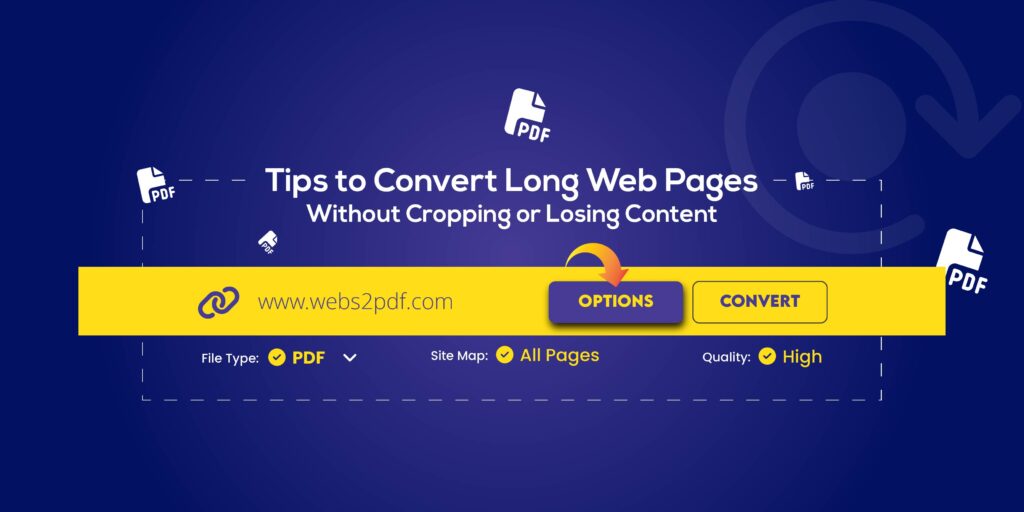
- Choose Single Page Mode for long-scroll content
- Select High Quality PDF for image-rich pages
- Add tags or metadata for easy organization
- Use meaningful filenames like topic_source_date.pdf
- For private content, use Incognito Mode or Webs2PDF’s “Private Conversion” feature
Real-World Example Workflows
Case Study 1: Freelancer Invoice Automation
Sara, a freelance designer, uses Webs2PDF to convert her online invoices (from Notion and PayPal) into PDFs automatically every month.
She then merges them with project scopes and stores them in Google Drive folders, creating a complete audit trail for her accountant.
Case Study 2: Researcher Citation Archiving
A university researcher uses Webs2PDF’s batch conversion to save 150+ news articles for her thesis. Each file is tagged with author, date, and source, and later imported into Zotero for quick reference.
Result: no lost links, no broken citations, and a perfectly organized digital library.
Beyond Saving: Start Creating with Webs2PDF
Converting a web page to PDF isn’t just about saving; it’s about stabilizing information. Whether you’re managing projects, teaching students, running campaigns, or archiving research, Webs2PDF transforms the web into something permanent, portable, and professional.
Try it now: Paste any URL into Webs2PDF.com and see how easily you can preserve and share your web content.
FAQs
Q1: Can I convert password-protected pages?
Only if you’re logged in. For secure pages, use Webs2PDF’s private conversion mode.
Q2: Are the PDFs searchable?
Yes! If the web content is text-based, the resulting PDF is fully searchable.
Q3: Is my data safe?
Absolutely. Webs2PDF doesn’t store your converted content permanently; your privacy and security are protected.
Q4: Does it work on mobile?
Yes, the tool is optimized for both desktop and mobile browsers.